 Enterprise AI Platforms
Cal.com Review (2026): Open Scheduling Infrastructure for Teams
Reviewed and last updated: . Pricing checked against the vendor’s published plans at review time.
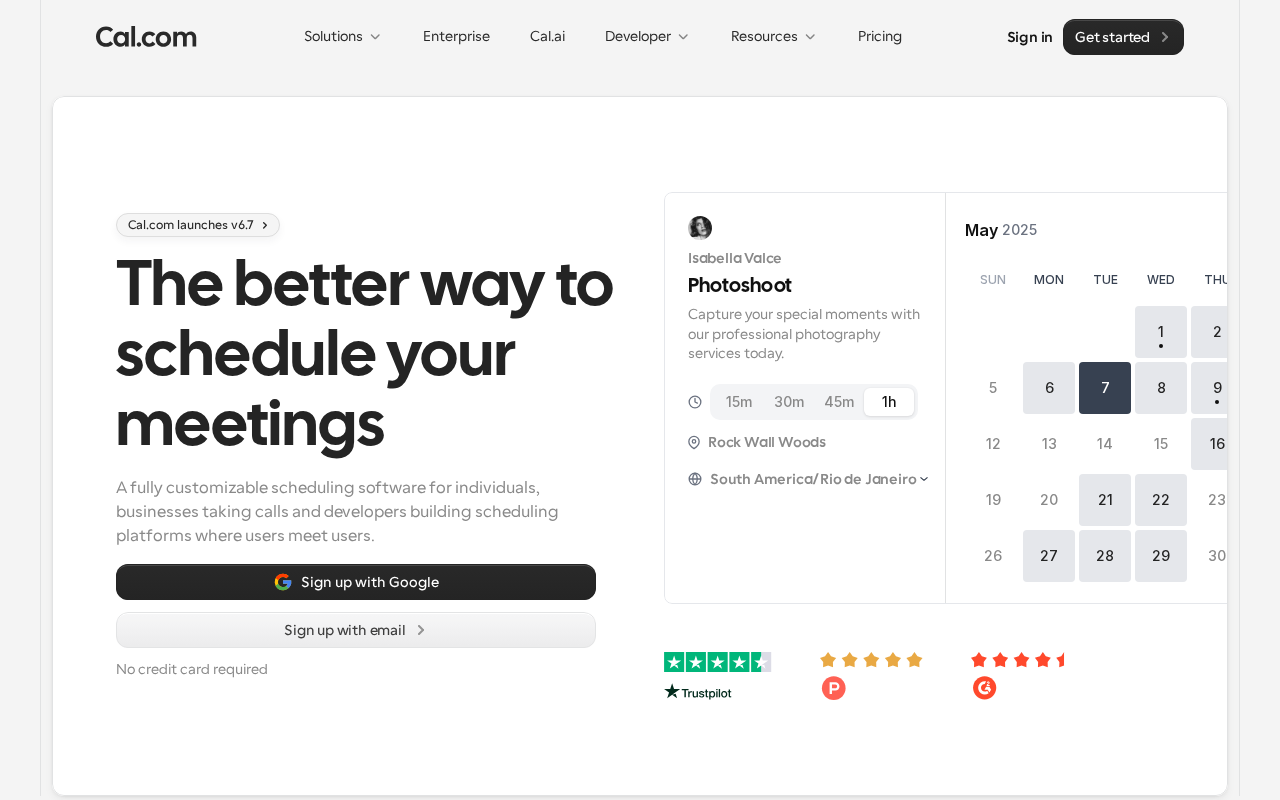
Most scheduling tools are apps. Cal.com is closer to plumbing, and that’s a compliment. It’s open source and API-first, which means scheduling becomes something you can shape to your process: routing rules, round-robin across teams, booking embedded in your own product, even self-hosting if control matters that much.
What it does
Beyond personal booking links, it coordinates scheduling across teams. Routing decides who gets booked, workflows fire on bookings, and the API lets product and ops teams put scheduling wherever it needs to live instead of sending everyone to a third-party page.
The trade
Flexibility costs configuration. If one person needs a booking link, plug-and-play tools get there with less thought. Cal.com starts paying off when the requirements have outgrown that: multi-team routing, customer-facing booking flows, scheduling inside your own app. Self-hosting is there if you need it, but it moves maintenance onto your team; most should take the hosted version.
When it makes sense
When scheduling complexity has escalated beyond baseline calendaring and you’d rather own the logic than work around someone else’s. Operations and IT typically decide.
Our take
The infrastructure option in a category full of apps. Pick it when scheduling needs to fit your process, and not the reverse.
What it costs
Cal.com publishes clean per-seat pricing (as of August 2026): a genuinely unlimited free plan for individuals, Teams at $12/user/month (round-robin, routing forms, analytics), and Organizations at $28/user/month (SAML SSO, SCIM, sub-teams, SOC 2/HIPAA/ISO 27001 options, custom subdomain) — yearly billing saves 25%, and a custom Enterprise tier adds SLAs and dedicated support. Self-hosting the open-source core is free apart from your own infrastructure and maintenance.
Pros and cons
Where it wins
- Open source with a real API: scheduling logic you own, not rent
- Free individual tier is unlimited, not a teaser
- Compliance menu at the Organizations tier (SSO, SCIM, SOC 2/HIPAA options)
- Team routing, round-robin, and embeds handle real multi-team complexity
Where it hurts
- Flexibility costs configuration; plug-and-play rivals are simpler for basic needs
- Self-hosting shifts maintenance onto your team
- Deep customization assumes some technical ownership
Alternatives to consider
Calendly is the polished plug-and-play default — faster to basic value, less ownable at the infrastructure level. Reclaim.ai solves an adjacent problem (optimizing your own calendar) rather than customer-facing booking; some teams run both.
Frequently asked questions
Is Cal.com worth it in 2026?
When scheduling has outgrown personal booking links — multi-team routing, embedded booking, compliance requirements — yes. For one person wanting a link, the free tier is excellent and the paid tiers are unnecessary.
What does Cal.com cost?
Free for individuals with no usage limits; Teams $12/user/month; Organizations $28/user/month with SSO, SCIM, and compliance options; custom Enterprise adds SLAs. Yearly billing saves 25%. Self-hosting is free minus your own ops.
Cal.com vs Calendly?
Calendly wins on out-of-box polish for standard use. Cal.com wins when you need control: open source, API-first, self-hostable, embeddable, with routing you can shape. Choose by whether scheduling is a tool or infrastructure for you.
Transparency: EnterpriseAI.app may receive referral revenue if you sign up through links on this page, at no additional cost to you. Evaluations are completed before referral relationships are considered — see our methodology and disclosure.